— Github and R —
Are you struggling with R? Can't figure out how to use github in the most effective way? Feeling completely lost on where to even begin??
Great! You've come to the right place and you're not alone!! Learning R is almost like learning another language. But you got this!
For this, we will be on macbook.
Step 1 : Download your Data!
Step 2 : Setting up R

First, right click onto your desktop screen and create a folder to put your data into
Congrats you've completed step 1 !
Now.. go to file(at top of computer) >
New project >
New Directory>
New project>
Name your directory! (Try not to be too long but too the point!)
Additionally, for “create a project as a subdirectory of:” go ahead and choose the file in your desktop that you made!
Lastly.. You’re going to want to make a github repo, So click “Create a git repository” this will allow for easy to replicate research, making your research better!
Click create project and pat yourself on the back! You set up more than just an R script!
Step 3: Making a Quarto Document
R scripts are ugly, unorganized, unappealing to the eye, and unfortunate for anyone trying to follow along.
Quarto Documents make life better! Prettier! MORE ORGANIZED!!
You can code in R “chunks” and then outside those chunks write paragraphs or notes to yourself that stand out and don’t just get hidden in a sea of hashtags like an R script does
You can also “render” your document to show all your notes and code results without having to look at the code parts too which is exciting.. Atleast I thought so.
So now let’s make a quarto document!!!
In the project we just made click File (at the top of the screen again) > New File > and then Quarto Document ! (should see this option if you did it right)
Name your document! (also I recommend choosing html format, just cause thats all I know) and then click create!
Another pat on the back.. You made a quarto document and are one step closer to being a better organized researcher!
Ok.. now we getting to annoying scary parts.. but we got this!
Step 4: Connecting Github to R
In R studio, go to the terminal and type
git –version
Now type in getwd() into your console in order to get something like this
this is your path to your project in your working directory
After.. Type this into the terminal (using your path)
cd "/Users/davidanthonybastidas/Desktop/OtterDat/OtterMom"
git init
git add .
git commit -m "Initial commit"
And then reopen the project (AFTER SAVING) and you should see this Git tab added!
If you haven’t already create a github account please, and after type this into your terminal to connect it.
git config --global user.name "your username"
git config --global user.email "your email"
Type something like hello into your quarto document and save it… then
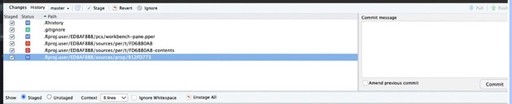
Open the git tab, click commit, and select all files to be “staged” .. write a commit message like “github test” and then click commit
Go back to Github and click create a repo and then name it something simple again!
And then click create repository
There is many ways to link your github to your project.. Heres what I found to be the easiest
In your R console run this code:
install.packages("usethis")
library(usethis)
usethis::create_github_token()
If you did it correctly it should open up the git hub token creation page where you will then scroll down, click create token and COPY the token
Then back in R studio console type in
gitcreds::gitcreds_set() and then paste your token when it asks!
Now you should’ve gotten a link like this during step when you created your repo..
Now go back to your R project and in the terminal type in:
git remote add origin *insert your link* (without the *)
git branch -M main
git push -u origin main
If this worked.. You should be able to now “stage” you’re quarto doc in the git tab.. Click commit.. Type a commit message.. Click commit again.. And then click push and when you go back to github it should appear there!!!
This allows others to see what you did not only to double check, but to also replicate, help you address problems, and create a space where you can save as many times and go back to that version if you ever want!
SO CONGRATS!
YOU MADE IT!! QUARTO DOCS? R STUDIO? GITHUB REPO?? OH MY WHO ARE YOU!??! YESSS!!
Here is the same thing but in a docs format if that is easier to follow.. click here

I hope to add more R related topics here soon, but for now if you need help, feel free to reach out :)




Bastidas Blog